
0
Prompts on a trusted, routine login
An MFA fatigue attack turns push notifications against the people they protect. An attacker who already has the password sends approval request after approval request until the user, tired or confused, taps Allow. The best defense is a second factor that rarely needs to ask, so that every prompt that does appear gets real attention.
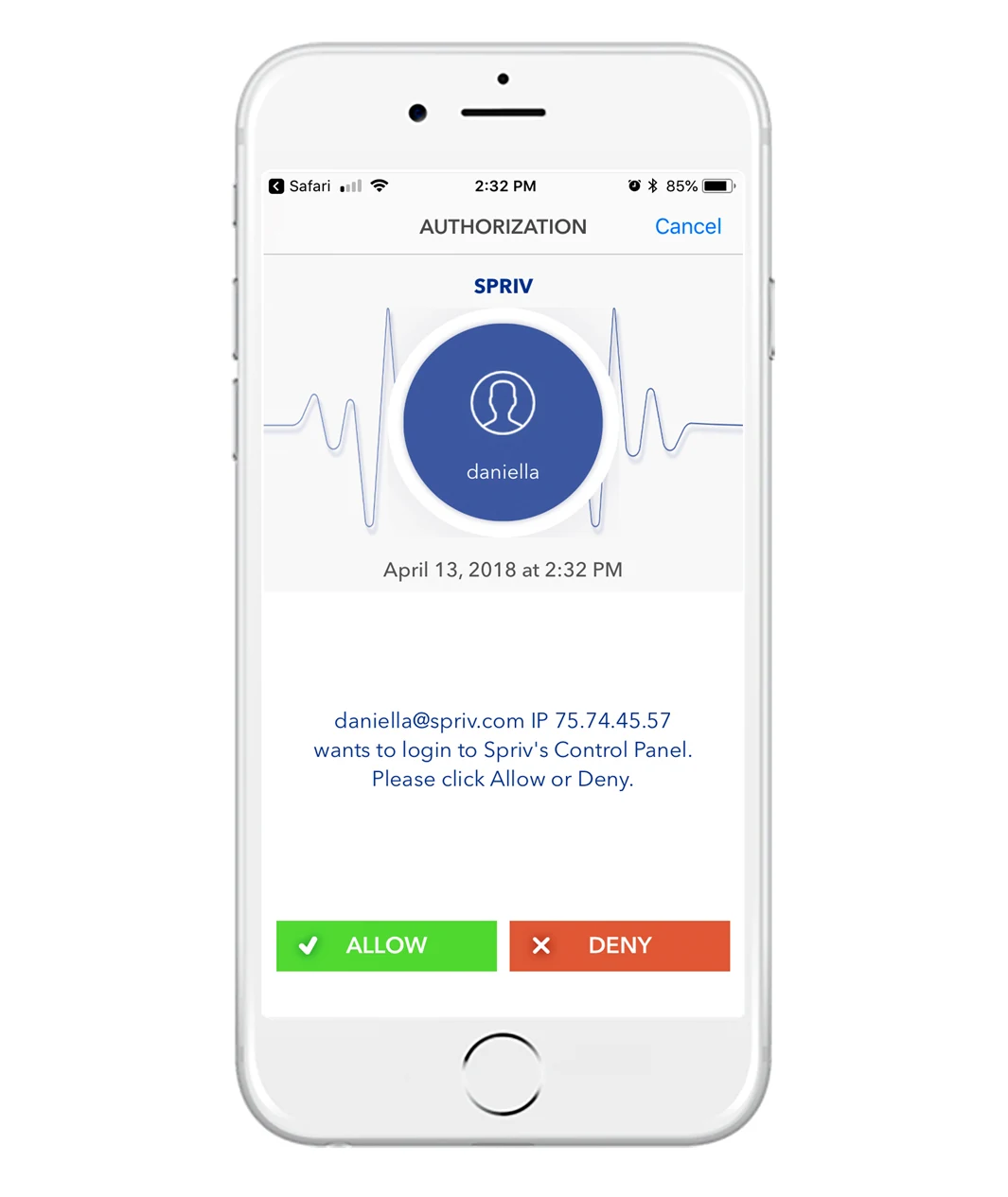
MFA fatigue, also called push bombing, MFA prompt bombing or push notification spam, targets push-based multi factor authentication. It does not break the second factor. It persuades the user to hand it over.
The attacker has a valid username and password from phishing, malware, a data breach or password reuse. Only the push approval stands in the way.
The attacker triggers login after login, often late at night, so the user's phone buzzes again and again with approval requests. Some attackers also call or message the user pretending to be IT support.
To make the noise stop, by mistake or because they believe it is a glitch, the user approves one request. The attacker is in, with a fully authenticated session.
MFA fatigue exploits a habit that the MFA product itself created. When a push prompt arrives on every single login, approving it becomes a reflex.
Spriv calls this repetition poisoning. Users who are prompted every time they log in learn to approve without reading, so a malicious prompt looks exactly like the hundred genuine ones before it.
A bare "Approve sign-in?" gives the user nothing to check. Without the account, the address or the system being accessed, there is no way to tell a real request from an attacker's.
A phone that keeps buzzing is stressful, and a convincing call from "the help desk" asking the user to approve the next prompt can close the deal.
These are widely recommended controls. Layer several of them; none is enough alone.
The login screen shows a number that the user must type into the app, so a prompt the user did not start cannot be approved with a blind tap.
Cap how many push requests one account can receive in a short window, and block or alert when an account exceeds it.
Display the username, the source IP address and the system being accessed, so the user has something concrete to check before approving.
Give users a clear way to deny and report an unexpected request, and treat a burst of denials as a sign the password has been stolen.
Teach a simple rule: if you did not just try to log in, deny the prompt, and IT will never ask you to approve one over the phone.
The structural fix. If routine logins never produce a prompt, an unexpected one stands out, and the habit attackers rely on never forms.
Instead of asking users to resist a flood of prompts, Spriv removes the reason prompts are routine in the first place.
Adaptive MFA pairs the workstation with the environment the phone reports. A matching pair clears in the background with no prompt at all. Seamless MFA.
An attacker logging in from somewhere else is not on the trusted pair and is not where the user's phone is, so their login is never approved automatically. Adaptive MFA.
When an Allow / Deny prompt does appear, it shows the username, IP address and server name, and on the web also the operating system and browser.
Spriv recommends push only for unusual events: an address change, a wire transfer above a threshold, RDP or SSH to production, or a password reset on a privileged account. Allow / Deny push.
If a user reports unexpected prompts, an administrator can set the account to Deny or Locked in the management portal while the password is reset.
Yes. MFA fatigue, push bombing, MFA prompt bombing and push notification spam all describe the same attack: flooding a user with approval requests until they accept one.
No. The attack needs a stolen password and a user who approves. MFA still stops every attempt the user denies. The lesson is to make approvals meaningful, not to drop the second factor.
Deny every request they did not start, and report it to IT straight away. Repeated prompts mean someone else has the password, which should be changed.
Spriv does not describe number matching as a feature. It reduces fatigue structurally: routine logins clear silently, prompts are reserved for exceptions and show the username, IP address and server name.
Codes cannot be approved with a tap, but they can be phished: a user can be tricked into typing a code into a fake page or reading it out over the phone. No method removes the need for user awareness.
Two free users and two free servers, no credit card. Install in under five minutes and keep routine logins silent.