
0 s
Typical time to approve a push
Push notification authentication replaces the typed code with a prompt on the user's phone: approve or deny this login. It is faster and friendlier than one-time codes, but a prompt that appears on every login soon gets approved without a second look. Spriv uses push for the exceptions and lets adaptive authentication handle the routine.
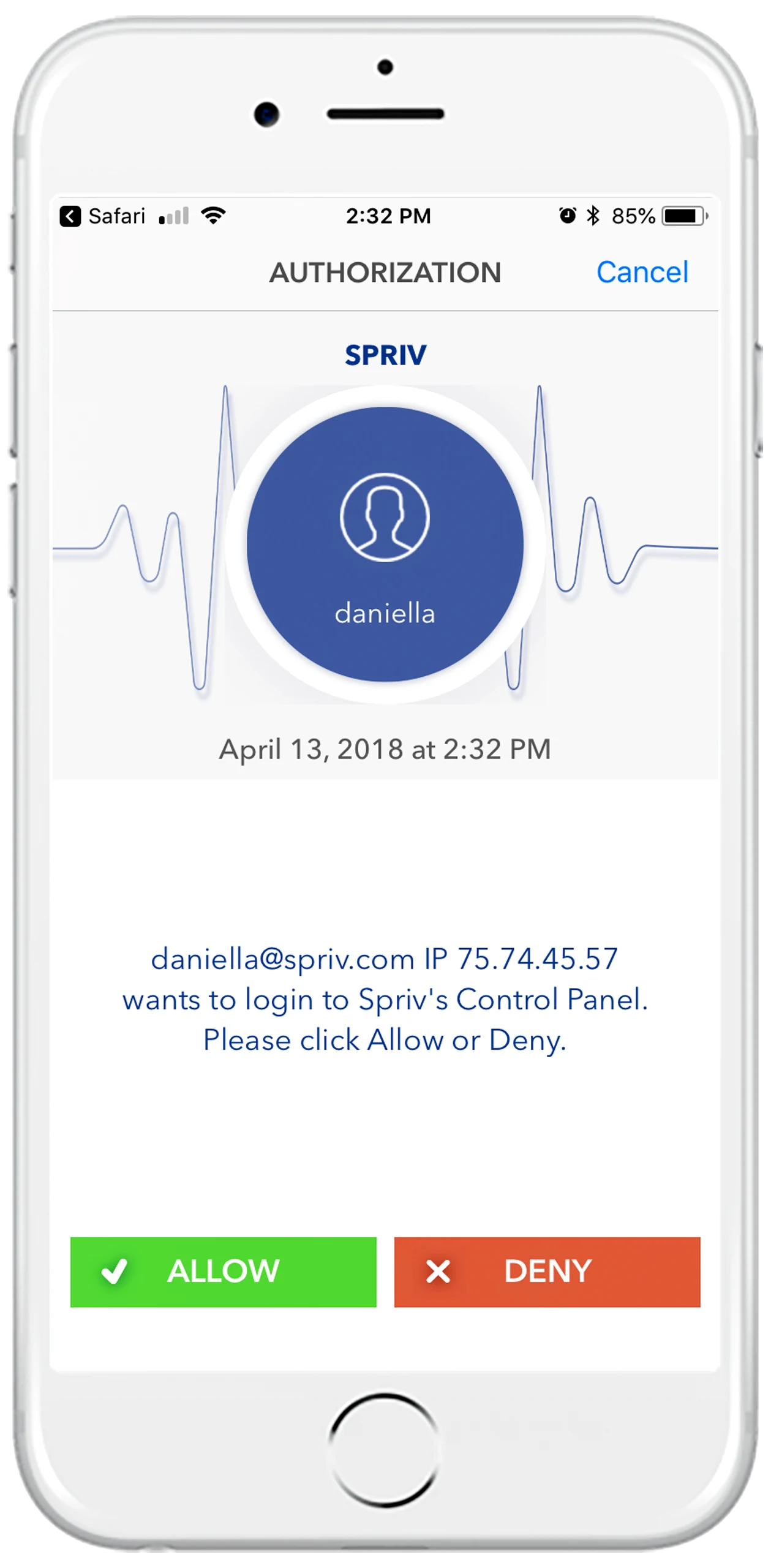
Push MFA links the login to an app on a phone that was paired to the user ahead of time. The approval travels over the phone's data connection, a channel separate from the browser or desktop where the password was typed.
The user signs in as usual. Instead of letting them through, the application asks the authentication service to confirm on the phone.
A notification arrives in the paired app with details of the attempt, so the user can judge whether it is really theirs.
Allow completes the login. Deny stops it, and tells the user and the administrator that someone else has the password.
No six digits to copy before a timer runs out. An approval takes around 8 seconds, against roughly 14 seconds for a TOTP code.
A code says nothing about the login it unlocks. A push can show who is signing in, from where and to what, so the user is approving something specific.
An unexpected prompt is itself a warning: the password has leaked. A denied push gives the security team something concrete to act on.
Push is only as strong as the user's attention. These are the ways it gets beaten in practice.
An attacker with a stolen password triggers prompt after prompt, often late at night, until the user taps Allow just to make it stop. MFA fatigue attacks explained.
Users who see a prompt on every single login learn to approve on reflex. When the attacker's prompt finally arrives, it looks exactly like the hundred legitimate ones before it.
A fake login page can forward the password to the real site while the victim is still on the phishing page, so the victim receives a genuine prompt at the moment they expect one. The comparison table lists Allow/Deny alone as unprotected against phishing, bucket brigade relays and server breaches.
The phone must have the app installed and paired, and a stable internet connection over Wi-Fi or mobile data. Without signal, the user needs a fallback such as a TOTP code. TOTP authentication.
Spriv's Allow/Deny push shows the username, the IP address and the server name of the attempt, and on web logins the operating system and browser. The user decides with the facts in front of them.
Allow/Deny can never be automated: every request needs a person to act. That makes it the right tool for moments that deserve a conscious decision, and the wrong tool for the twentieth routine login of the week.
Confirm the payment on a second channel before money moves.
Especially on privileged accounts, where a takeover does the most damage.
A deliberate tap before anyone touches live systems.
Any custom event you define, sent to Spriv over the API.
Spriv's default method is adaptive authentication. Routine logins are approved in the background, so a push only appears when something is genuinely out of the ordinary.
It avoids SIM swaps and SMS interception because the request travels through the paired app, not the phone network. It is still vulnerable to fatigue attacks, which is why the number of prompts matters.
Tap Deny and tell IT. An unexpected prompt means someone else knows the password, so it should be changed. An administrator can also set the user's status to Deny or Locked in the Spriv control panel.
Push needs a data connection on the phone. Switch to TOTP, which works offline, or to two-way SMS if the phone has carrier signal but no data.
Yes. That is the recommended setup: adaptive authentication for routine logins, and Allow/Deny for exceptions such as wire transfers, address changes and logins to production servers.
Yes. The Startup plan is free for 2 users and 2 servers with no credit card, and includes adaptive authentication, Allow/Deny and TOTP.
Two free users and two free servers, no credit card. Let adaptive handle the routine and save Allow/Deny for the moments that matter.