
0
Codes to type on a trusted login
Spriv's PAM module adds a second factor to every SSH login on your Linux and Unix servers. Users authenticate once, then later sessions are validated continuously in the background, so the shell opens as fast as it always has.
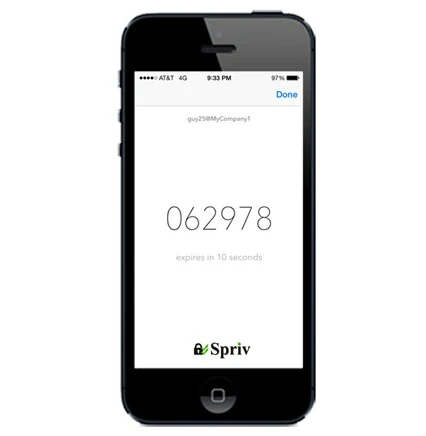
SSH is how administrators reach production. If one password or private key leaks, the attacker gets the same shell your admins do, unless a second factor stands in the way.
Internet-facing SSH is scanned and brute forced constantly, and passwords reused from other breaches work on the first try.
Keys copied from a laptop, a backup or a CI system never expire on their own. A second factor makes a copied key useless by itself.
PCI DSS calls for two-factor authentication on remote administrative access, and FFIEC, HIPAA and SOX expect strong authentication.
With UsePAM enabled, the SSH daemon runs Spriv's module as part of the server's PAM stack. No change to the SSH client is needed.
The user's paired phone and the connecting workstation are verified in the background. A trusted pair passes without a prompt.
An unfamiliar pair falls through to another method: push approval, two-way SMS or a TOTP code typed at the prompt.
The recommended sshd configuration keeps public-key authentication on and turns password logins off, with Spriv's PAM module adding the second factor through challenge-response.
Before restarting SSH, leave your current session open and test from a second connection, so a typo in the configuration can't lock you out. PAM module stacking differs between distributions such as Fedora, CentOS and Ubuntu.
UsePAM yes
ChallengeResponseAuthentication yes
UseDNS no
PubkeyAuthentication yes
PasswordAuthentication no
The login user must exist in Spriv's end-user list and have a paired phone before you install.
Request the Linux Adaptive PAM/SSH package, then run the build script, configure, make and make install.
Put your company key and secret in /etc/spriv/pam.conf.
Update sshd_config and /etc/pam.d/sshd, enable the SELinux boolean where required, then restart SSH.
No. The recommended configuration keeps public-key authentication enabled and disables password logins, with Spriv providing the second factor.
Adaptive authentication (the default, no interaction on a trusted pair), push approval, two-way SMS and TOTP codes.
Use TOTP. The Spriv app generates a six-digit code from the phone's clock every 30 seconds, with no internet or carrier reception needed.
Yes, the same PAM module covers privilege escalation. sudo and su MFA.
Install and test on one server first. The configuration files are the same on every host, so your configuration management tools can push them across the fleet.
Two free users and two free servers, no credit card. Install the PAM module in under five minutes.