
0 s
Between a New York and a Berlin attempt in our example
Impossible travel detection flags a login or transaction that would require the user to cross the map faster than any person can. A sign-in from New York followed by one from Berlin 90 seconds later cannot both be genuine. Spriv runs this velocity check on the phone's real location, on a second channel, automatically and in real time.
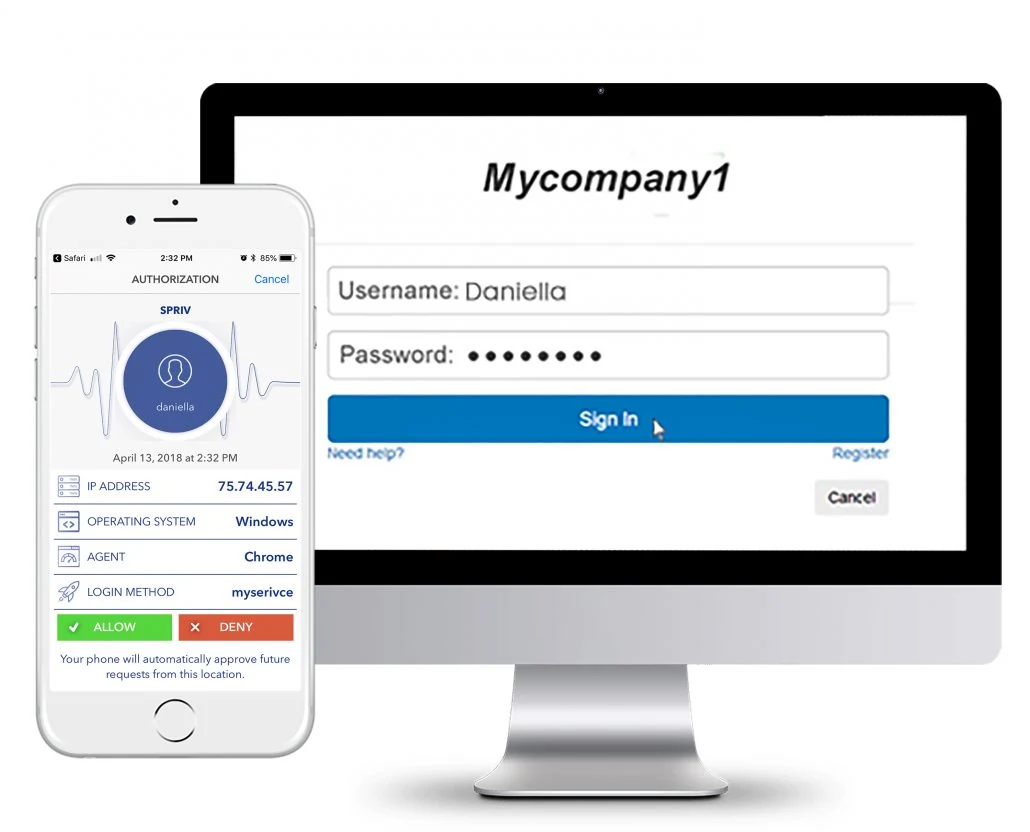
Impossible travel is a pair of events on one account, a login, a payment or a password change, whose locations are too far apart for the time between them. If the user would have needed to fly faster than an airliner, at least one of the two events was not made by them.
The classic cause: the real user signs in at home while an attacker with a phished or leaked password signs in from another continent.
A card used in one city and then online from a distant country minutes later is a strong sign that the card details were stolen.
A stolen session cookie or token replayed from somewhere else shows up as the same account suddenly acting from a new place.
A geo-velocity check takes the location and time of the previous event and of the new one, computes the distance between them, divides by the time elapsed and compares the implied speed with a threshold.
The threshold is usually set somewhat above the speed of a commercial jet, so that genuine flights pass and physically impossible pairs do not. When the implied speed is over the threshold, the new event is flagged for a challenge or a denial.
Event 1   New York    12:00:00
Event 2   Berlin      12:01:30
Distance  ~6,400 km
Time      90 s = 0.025 h
Speed     6,400 / 0.025 ≈ 256,000 km/h
Airliner  ~900 km/h
Result    over threshold → flag
Most impossible travel alerts estimate location from IP addresses. The math is right, but the inputs are not, so security teams drown in false positives and still miss attackers who use a local IP.
An employee who connects to a corporate VPN in another country appears to jump across the world in seconds. An attacker who uses a proxy near the victim appears to stay put.
Phones on cellular data often reach the internet through a carrier gateway far from where the user is standing. Switching between Wi-Fi and mobile data can look like a long-distance trip.
Traffic routed through cloud services, security gateways or remote desktops leaves from a data center, not from the user's location, so two honest requests can geolocate to different regions.
Spriv's US Patent 9,727,867, "Analyzing distance and speed between the mobile phone location and a second location", applies the velocity check to the phone rather than to an IP address.
Spriv checks the location and time of the user's phone when a login or transaction is verified.
When a second transaction is attempted, Spriv compares the distance between the two locations and the speed needed to travel between them.
If the required speed is above the threshold, the attempt is flagged, automatically and in real time, on the second channel.
The attempt is not approved silently. The user gets a challenge such as an Allow / Deny prompt showing the username, IP address and server name, or another method you choose.
If the user does not recognize the request, they deny it. Administrators can also set an account to Deny or Locked in the management portal.
Speed is one signal among geographic location, device reputation, login history, behavioral patterns, time of access and network characteristics. Risk based MFA.
The same check applies after login, to payments, transfers and other high-risk actions. Transaction authentication.
A velocity check divides the distance between two events by the time between them. If the implied speed is higher than a person could travel, the second event is treated as suspicious.
Yes, the terms are used interchangeably. Geo-velocity describes the calculation, and impossible travel describes the result when the speed is physically impossible.
A real flight moves the phone with the user, at a speed a person can actually travel. Logging in from a new place is still a new location, so the user may see a challenge on arrival, which they can approve.
No. Spriv confirms that locations align and flags impossible combinations, but it never shares the phone's actual location, and no personally identifiable information is transferred.
Two free users and two free servers, no credit card. Install in under five minutes and let the phone's location do the checking.