
0
Default RDP port scanned by attack tools
An RDP server reachable from the internet is probed by automated password-guessing tools around the clock. Strong passwords and lockout policies slow attackers down; a second factor on the phone stops them, because a correct password is no longer enough to open the session.
RDP hands whoever logs in a full interactive desktop. That makes a single working password one of the most valuable things an attacker can find.
Scanners find RDP listeners on the internet and try common usernames with long password lists, hour after hour. Weak or default passwords on any account eventually fall.
Passwords stolen from unrelated breaches are replayed against RDP. If a user reused a password, the attacker logs in on the first try and no lockout policy ever fires.
Once inside a server, an attacker can disable defenses, move to other machines and deploy ransomware. Stopping the login stops everything that would have followed it.
No single control is enough. Layer these, and put the second factor on top so that the password stops being the last line of defense.
Put Remote Desktop behind a VPN or a Remote Desktop Gateway, and restrict who can reach it with firewall rules or IP allowlists.
Long, unique passwords and an account lockout policy slow guessing down. They do nothing against a password that was already leaked.
Grant Remote Desktop rights only to accounts that need them, and remove access when people change roles or leave.
NLA requires users to authenticate before a full session is created, which reduces the load and exposure of the login screen.
Keep Windows updated against vulnerabilities in the RDP service, and alert on bursts of failed logins.
Require a second factor on a separate channel, so a guessed or stolen password alone can't open a session.
Spriv's Credential Provider adds a second factor to the Windows login screen. Even a correct password still needs the user's paired phone.
Adaptive authentication checks that the phone and the computer are in the same place. An attacker somewhere else fails that check, so their login is never approved automatically.
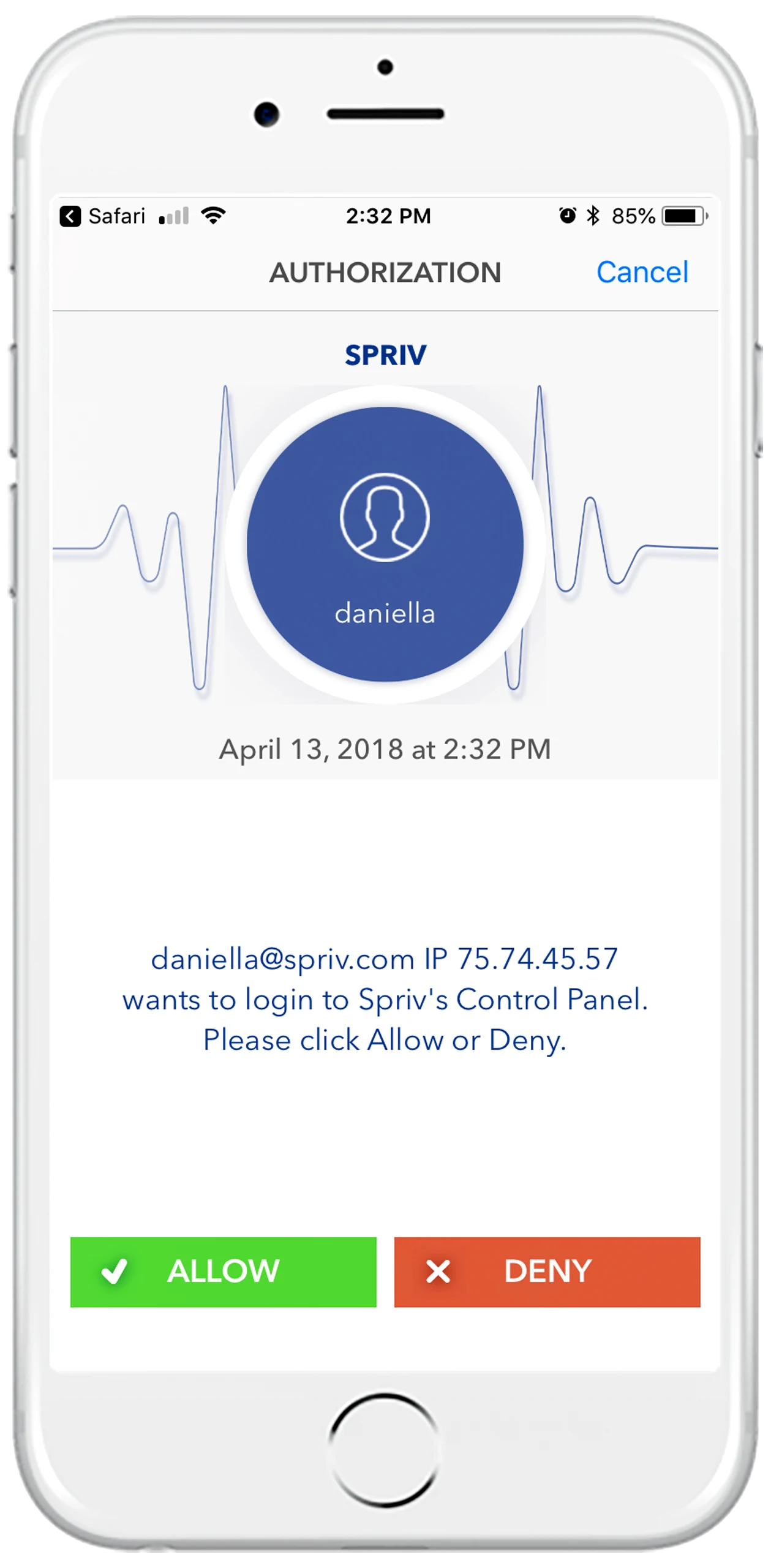
An Allow / Deny prompt shows the username, IP address and server name, so an unexpected request is easy to spot and deny.
It reduces noise from the simplest scanners, but attackers scan every port. Treat it as housekeeping, not protection, and rely on network restrictions and a second factor instead.
Lockout slows guessing, but it can also be used to lock legitimate users out, and it never triggers when the attacker already has the right password from a breach. MFA closes that gap.
Set the targeted user's status to Deny or Locked in the Spriv control panel, and review the attempt details the push notification reported.
Not on a trusted workstation-and-phone pair: the second factor clears in the background, often in about 175 milliseconds. Windows login MFA.
Two free users and two free servers, no credit card. Install on your RDP server in under five minutes.