
Linux administrators tend to trust two things implicitly: SSH keys and sudo. Two recent events show why neither should be the only thing standing between an attacker and root.
Two warnings from the last two years
The sudo chroot flaw: CVE-2025-32463
In mid-2025 the sudo project disclosed a critical bug in the --chroot (-R) option. In sudo versions 1.9.14 through 1.9.17, a local user could make sudo load an attacker-controlled shared library by placing a crafted /etc/nsswitch.conf under a directory they control, and so run commands as root, even if they were not listed in the sudoers file at all. The fix arrived in sudo 1.9.17p1, and the chroot feature itself is being deprecated.
On 29 September 2025, CISA added CVE-2025-32463 to its Known Exploited Vulnerabilities catalog, confirming it was being used in real attacks. On an unpatched host, any account that can run a shell can become root.
The xz backdoor: CVE-2024-3094
In March 2024, a Microsoft engineer noticed SSH logins taking half a second longer than they should and traced the delay to a backdoor hidden in the xz compression library. Through a dependency chain on some distributions, the malicious code was loaded into sshd and targeted its authentication. The backdoor was planted by a contributor who had spent around two years earning maintainer trust, and it was caught in development and testing releases before it reached most stable distributions.
The lesson from both: patching is necessary, but you cannot patch a flaw nobody has found yet. Defence in depth means a single bug or a single stolen credential should not be enough.
Why one factor at SSH is not enough
SSH keys are far better than passwords, but they are still a single factor, and a file. Private keys get copied onto laptops, left without passphrases, baked into CI pipelines and harvested by infostealer malware. Sophos' Active Adversary Report 2026 found compromised credentials among the leading root causes of the incidents it handled, and no MFA in place in 59% of them. A key in an attacker's hands is a valid login.
The same is true inside the network. Once an attacker is on one host, stolen keys and reused passwords are how they hop to the next.
Two checkpoints worth protecting: login and privilege
An attacker on Linux needs two things: a way in, and a way to become root. PAM, the Pluggable Authentication Modules framework that SSH, sudo and su already use, lets you put a second factor at both.
- At SSH login, so a stolen key or password alone does not open a shell. See SSH two factor authentication.
- At sudo and su, so an attacker who does get a shell, through a phished account, a web application bug or a stolen key, still cannot escalate quietly. See sudo and su multi factor authentication.
MFA at sudo would not have fixed CVE-2025-32463, which bypasses the sudoers policy. That is what patching is for. What layered MFA does is shrink the number of ways an attacker can get the foothold and the legitimate privilege they need before they reach for an exploit at all.
sudo --version. Anything from 1.9.14 to 1.9.17 without the p1 fix is vulnerable to CVE-2025-32463 and should be updated now.A practical rollout
- Patch sudo, OpenSSH and their dependencies, and subscribe to your distribution's security advisories.
- Require MFA for SSH on bastions first, then on every host reachable from them.
- Require MFA for sudo and su on production hosts, especially for accounts that can reach sensitive data.
- Keep a tested break-glass path: console access and an offline second factor, so an outage of the network does not lock administrators out.
- Exclude automation deliberately. Service accounts that run non-interactively should use narrowly scoped keys and sudoers rules, documented and reviewed, rather than ad-hoc exceptions.
MFA that administrators will not route around
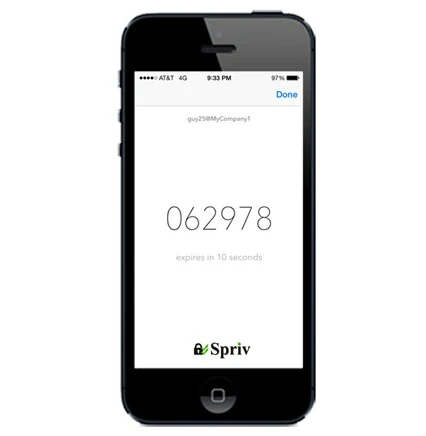
Administrators run sudo constantly. A phone prompt on every command is how MFA gets quietly removed from /etc/pam.d. Spriv's Unix and Linux PAM module uses the same adaptive approach Spriv applies to Windows: once an administrator's workstation and phone are trusted as a pair, the second factor is verified out-of-band in the background, often in about 175 milliseconds, with no interaction. An SSH login or a sudo call from somewhere unexpected is challenged with Allow / Deny, two-way SMS or a TOTP code, and TOTP keeps working on a phone with no reception.
The PAM documentation covers installation for SSH, su and sudo. The free Startup plan includes two servers, enough to protect your bastion and your most sensitive host this afternoon.