
Two of the most-read annual breach studies landed this year, and on the question that matters most to anyone who runs a login page, they agree. Sophos' Active Adversary Report 2026, built from 661 incident response and managed detection cases handled between November 2024 and October 2025, traced 67% of root causes to identity: compromised credentials, brute force against exposed services, and phishing. And in 59% of those cases, the victim had no multi factor authentication in the way.
Verizon's 2026 Data Breach Investigations Report tells the same story from a different angle. Read together, the two reports explain why MFA is still the control most often missing at the moment it is needed.
The headline numbers
- 59% of the incidents Sophos handled had no MFA, which let attackers turn stolen or guessed passwords straight into access.
- 15.6% of Sophos' cases began with brute force alone, nearly level with vulnerability exploitation at 16%.
- 3.4 hours was the median time from initial entry to the Active Directory server, and the median dwell time fell to three days.
- 88% of ransomware payloads were deployed outside business hours, when nobody is watching the console.
- 48% of breaches in the DBIR involved ransomware, up from 44% the year before, and 48% involved a third party, up 60% year on year.
Credential abuse "fell". Credentials did not stop mattering.
The DBIR headline that travelled furthest was that exploitation of vulnerabilities is now the most common first step in a breach, at 31%, while credential abuse dropped to 13%. Read that carefully before you deprioritise authentication. Verizon also began tracking pretexting as its own initial access vector this year, which moved some incidents out of the credential abuse column. And the first step is not the only step: an attacker who gets in through an unpatched edge device usually still needs valid credentials to move to the servers that matter.
That is exactly the pattern Sophos describes. Attackers reach Active Directory within hours, harvest credentials, and use the organisation's own remote access tools to spread. Every internal login that asks for nothing more than a password is a step they do not have to work for.
Third parties are where MFA quietly goes missing
One of the more sobering DBIR findings concerns suppliers. Looking at third-party cloud exposures, Verizon found that only 23% of third-party organisations fully remediated missing or improperly configured MFA on their cloud accounts. It took about a month for even half of all findings to be resolved. With third-party involvement now in nearly half of all breaches, a vendor's unprotected admin account is effectively your unprotected admin account.
We have seen this movie before
The largest healthcare breach on record began the same way. UnitedHealth Group told the US Congress that the attackers behind the February 2024 Change Healthcare ransomware attack used compromised credentials on a remote access portal that did not have MFA enabled. The final count of people affected reached about 192.7 million. The same year, attackers logged in to cloud data warehouse accounts at around 165 organisations using credentials stolen by infostealer malware, and the accounts they used had no MFA.
None of these attacks needed a zero-day. They needed one login that asked for nothing but a password.
Why MFA still goes missing
If MFA is so clearly effective, why is it absent in most of the incidents Sophos investigated? In our experience the reasons are rarely technical:
- Friction. Administrators who log in to servers dozens of times a day turn MFA off, carve out exceptions, or lobby for "trusted" network ranges that never get revisited.
- Coverage gaps. MFA lands on email and the VPN, but not on Windows Remote Desktop, SSH or sudo, because each needs its own integration.
- Legacy systems. The oldest systems, the ones Change Healthcare had not yet migrated, are the ones without MFA.
- Misconfiguration. Sophos specifically warns about MFA that exists but can be bypassed, which is why it recommends validating the configuration, not just deploying it.
What to do with this
1. Put MFA on every interactive login, not just the front door
List every way a person can sign in: VPN, Windows Remote Desktop, SSH, sudo and su, admin consoles and SaaS. Any entry without a second factor is the one an attacker will use.
2. Make MFA cheap enough that nobody asks for an exception
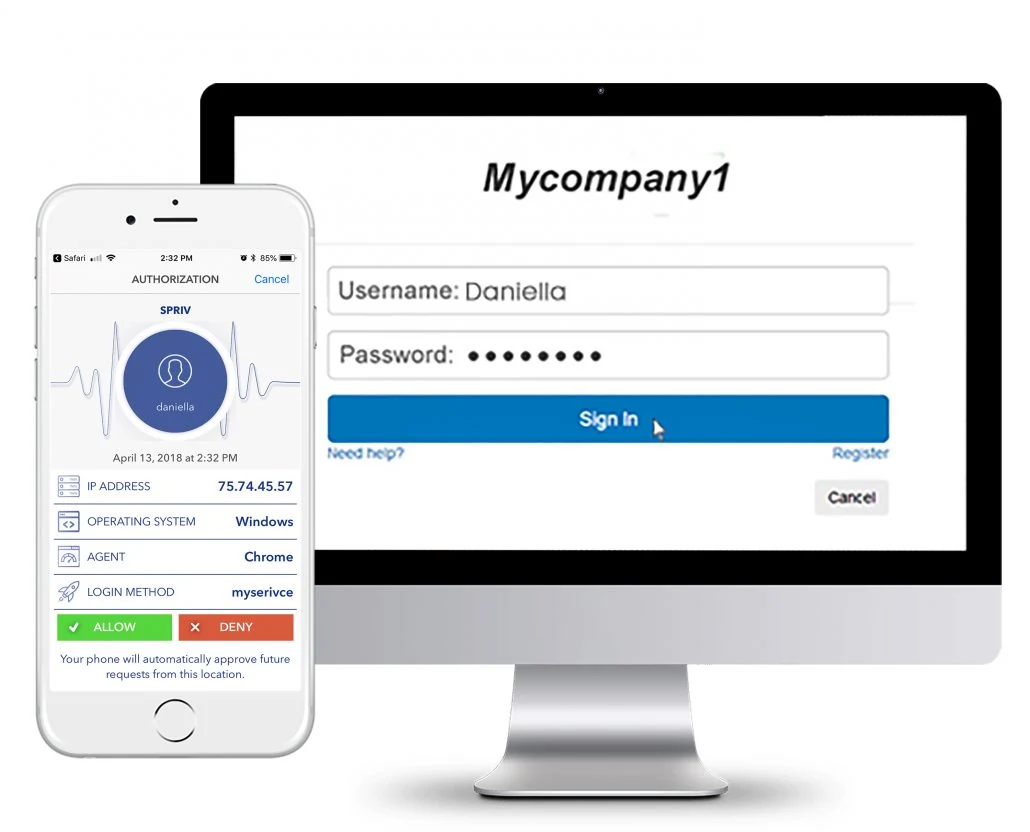
This is where adaptive MFA earns its keep. Spriv pairs a known workstation with the environmental identifier reported by the user's phone. Once that pair is trusted, the second factor clears out-of-band in the background, often in about 175 milliseconds, with no tap and no code. Users only see a prompt when something is different: a new computer, a new location, or a phone that is not where the login claims to be. Security teams stop fighting for exceptions because there is nothing left to complain about.
3. Watch off-hours activity
With 88% of ransomware deployed off-hours, a login at 3am from an unfamiliar machine should look different from a login at 9am from the usual desk. Risk signals such as location and impossible travel are what make that distinction automatic.
4. Ask your suppliers the MFA question
Add "is MFA enforced on every account with access to our data or systems?" to vendor reviews, and ask for evidence, not a checkbox.
The breach reports are long, but their advice on authentication fits in one line: put a second factor on every login, and make it painless enough that it stays switched on. Start with two free users and two free servers and see what a login without friction looks like.